Как пользоваться WASEL Pro VPN для Linux
At first go to your profile page to see the list of available servers and IPs
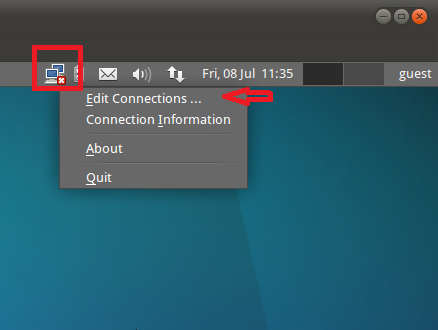
Right click on the "Connections" icon in the notification area
Choose ‘Edit connections’
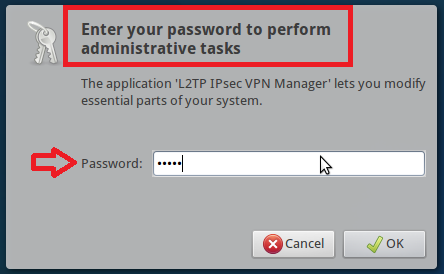
You'll be asked to "Insert your password to perform administrative tasks"
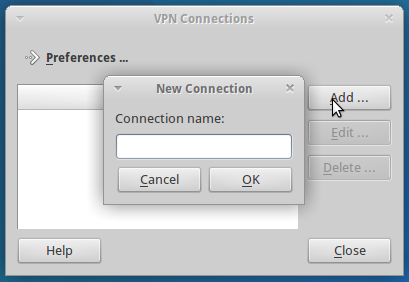
For "Connection Name", type the server address you would like to connect to (se.waselpro.com for example)
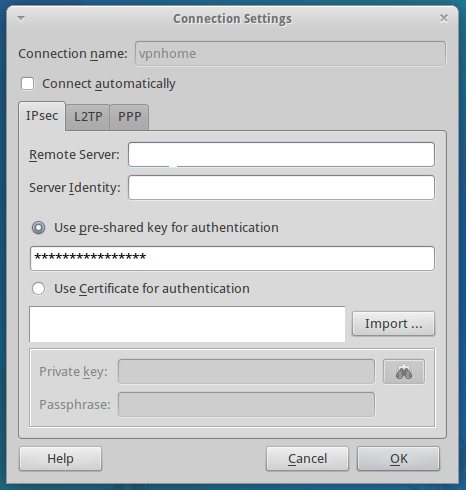
IPsec configuration:
For "Remote server", insert the matching IP address of the address you would like to connect to.
For "Use pre-shared key for authentication", type: sharedsecret
Switch to L2TP tab:
Check the "Length bit" checkbox
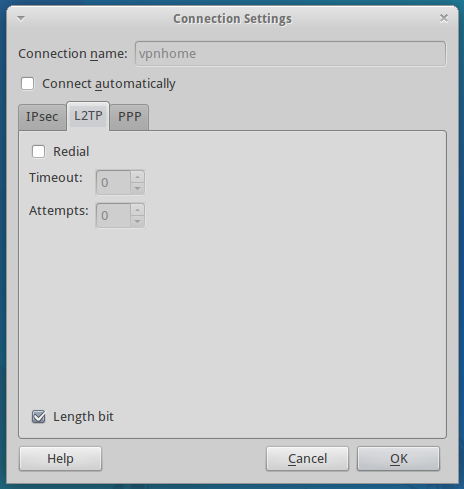
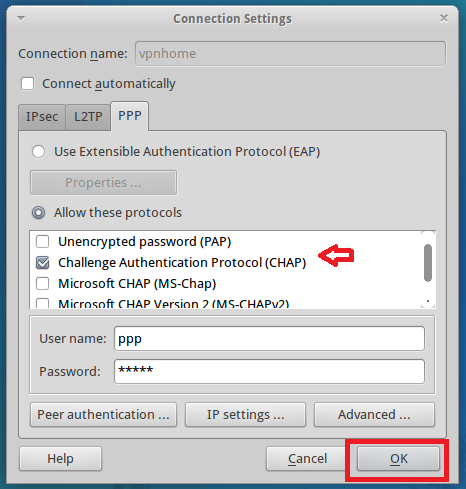
Switch to PPP tab:
Check the "Challenge Authentication Protocol" checkbox only and leave other options unchecked
For "User name", type your WASEL Pro's registered e-mail address
For "Password", type your WASEL Pro's account password
Click "OK"
Now, go back to the "Connections" icon in the notification area and
click on the connection's name you just created, it will take a few seconds to connect.
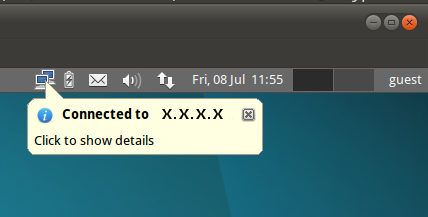
To make sure your connected, go to www.waselpro.com and notice that your IP address has changed.