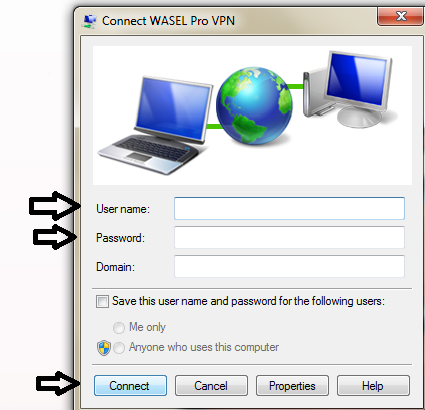
Как установить WASEL Pro L2TP VPN на Windows
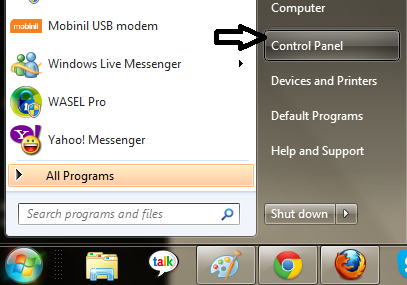
- 1. Click on Windows Start Menu
- 2. Go to Control Panel
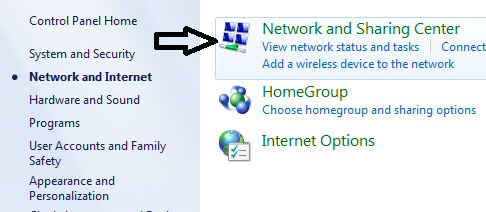
- 3. Click on Network and Internet

- 4. Click on Network and Sharing Center
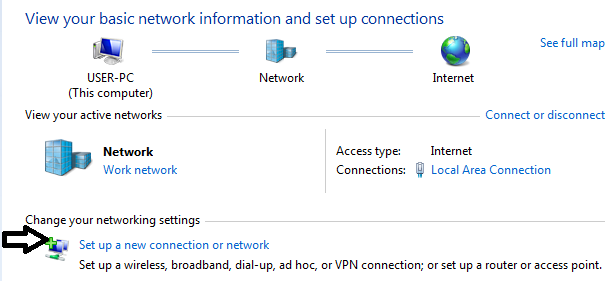
- 5. Click on Setup a new connection or network
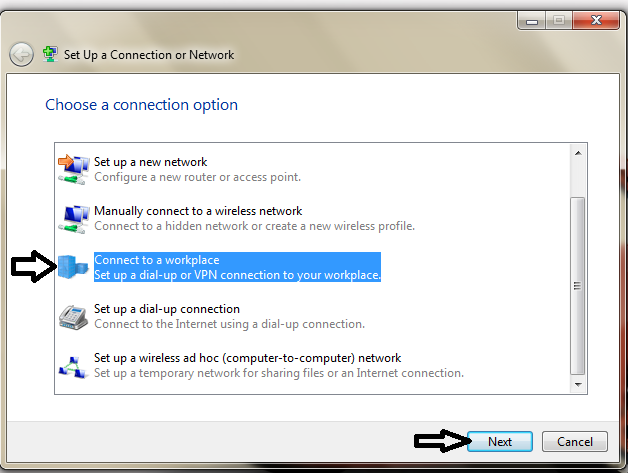
- 6. Select connect to a workplace then click on Next
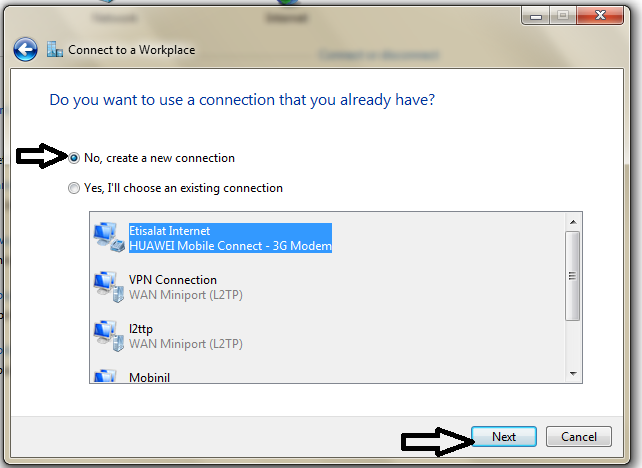
- 7. Select "No, create a new connection" then click on Next
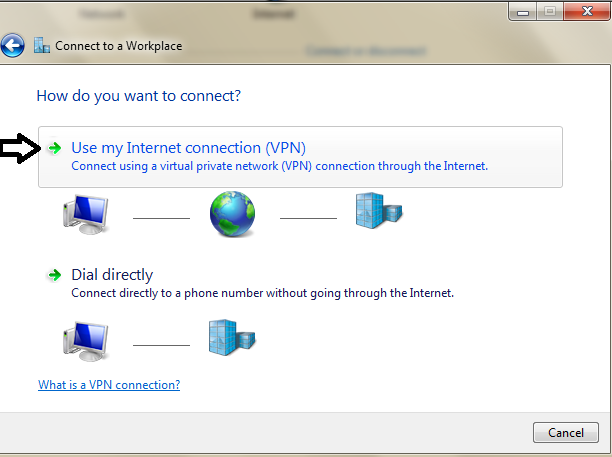
- 8. Select "Use My Internet Connection (VPN)
- 9. Insert your settings:
- Internet address: (WASEL Pro server that you would like to connect to)
- Note: Login to your profile on waselpro.com to see list of available L2TP servers
-
Destination name (WASEL Pro VPN)
- 10. Click on the option "Do not connect now, just set it up so I can connect later". Click Next

- 11. Insert your WSEL Pro username and password. Click Create.

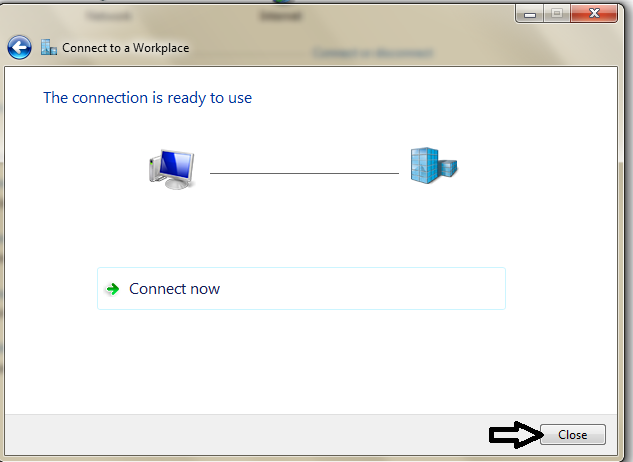
- 12. Click on Close.
- 13. Go back to Network and Sharing Center and click on Connect to a Network

- 14. On the pop-up window double click the WASEL Pro VPN name

- 15. Click on Properties
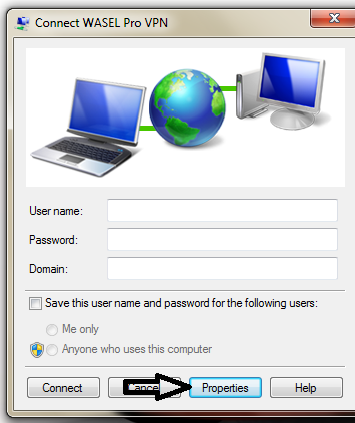
- 16. Click on Security. On Type of VPN Choose L2TP/IPSec
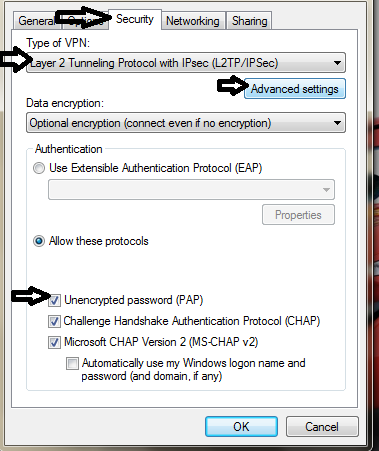
- Note: Make sure you check the option "Unencrypted password (PAP)
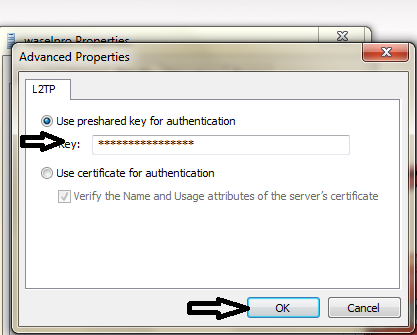
- 17. Click on the Advanced button. Click on the top option Use preshared key for authentication and insert Sharedsecret.
- 18. Click OK
- 19. On the connect screen enter your username and password again
- 20. Click on Connect