I'm Connected to WASEL Pro VPN on Windows 8 but My IP address Has not Changed
Disconnect WASEL Pro
Close the application from the task bar
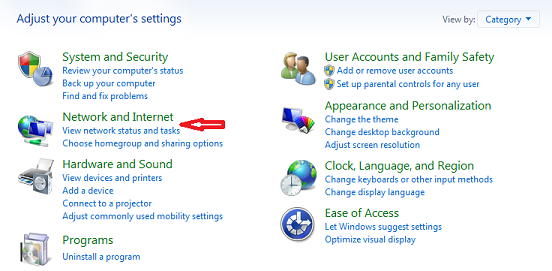
Go to Control Panel
Click View network status and tasks
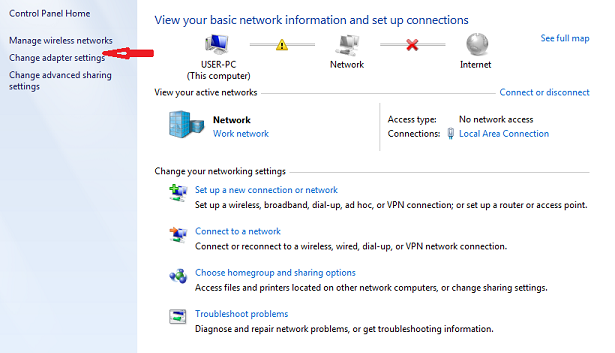
Click Change adapter settings
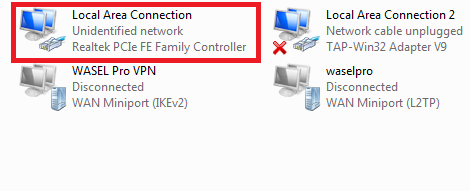
Choose your current connection
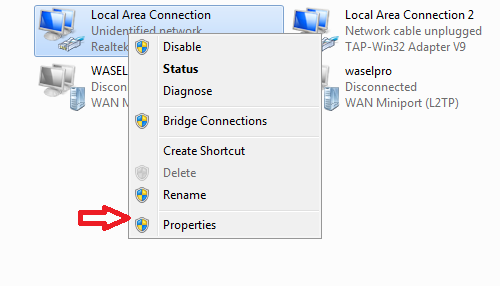
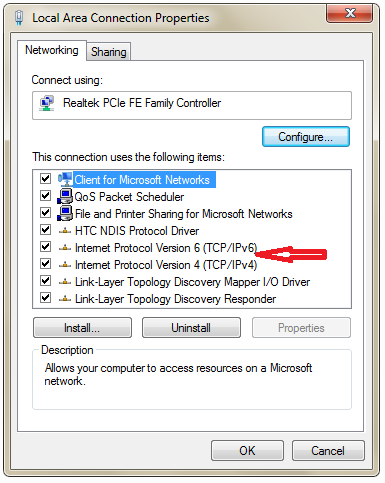
Right click and choose Properties
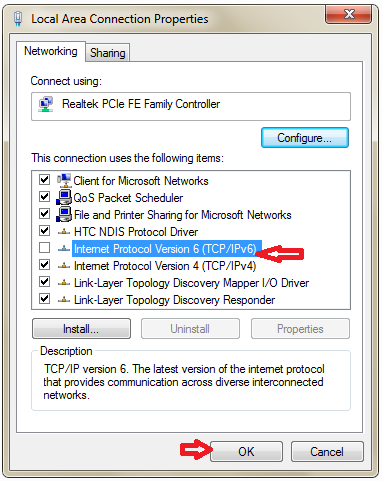
Uncheck the option Internet Protocol Version 6
Click OK
Open WASEL Pro, connect and try again.