How to Delete Browsing History in Safari
Safari for Mac OS X
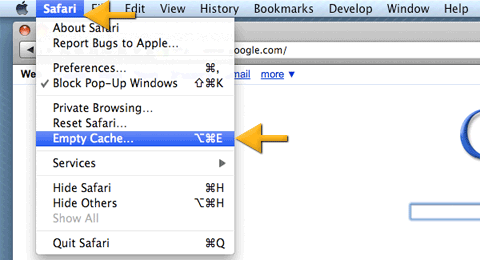
1. Open your browser, click on the "Safari" menu and select "Empty Cache"
2. Click Empty.
Safari for Windows
1. Once your browser is open, click on the "Edit" menu and select "Empty Cache"
2. Click Empty.